 HEADWALL
The Headwall box
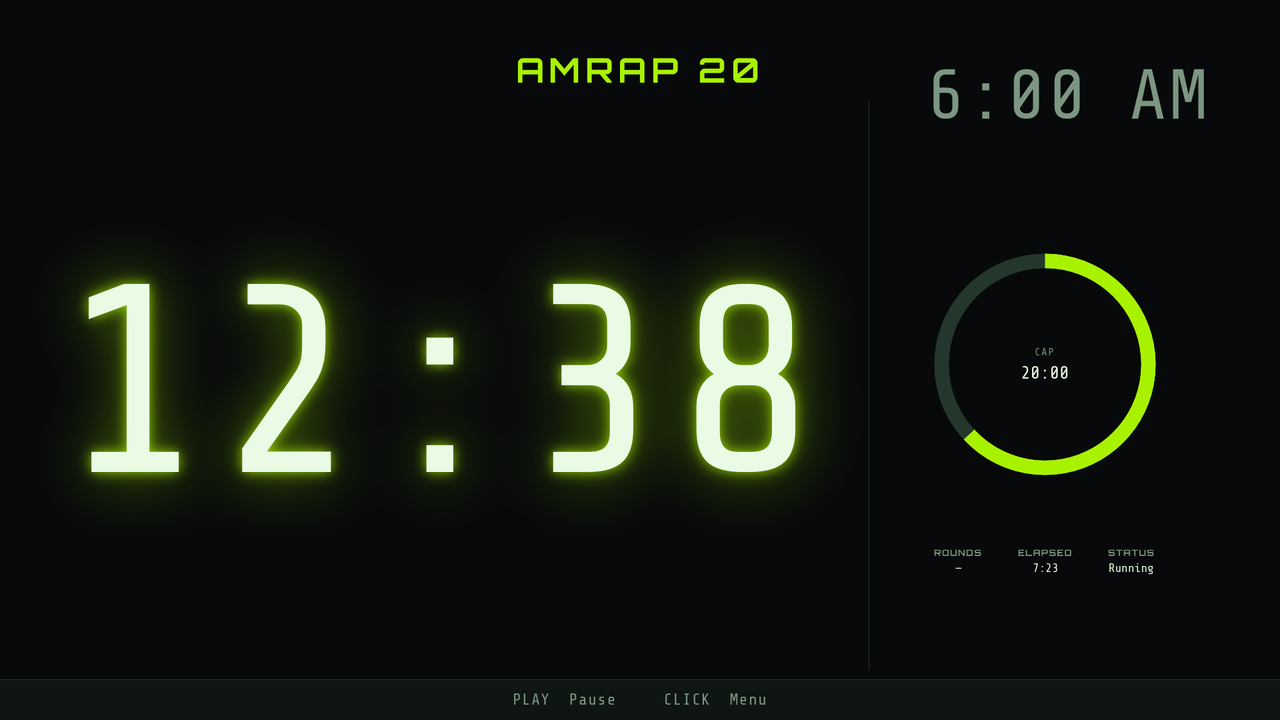
A small box on the back of a TV, over HDMI. It boots into the timer, it is the only thing that hardware does, and it comes back on its own after the power goes out. For a gym that wants a wall it never has to think about.
What only the box does
Any phone, no app.
The wall shows a QR code. A phone camera opens a controller in the browser — start, pause, load a workout, even write one. A visiting coach installs nothing.
It is the home screen.
The box boots to the timer and returns to it after a crash, an update or a power cut. There is no Android behind it to fall back to.
Set up from the wall itself.
Join Wi-Fi with the TV remote, on an on-screen keyboard. Rename the screen, join it to another box, reboot it — all from the D-pad, no laptop.
It updates itself.
The box checks for new versions over the internet and installs them when the room is empty. Nobody drives to the gym with a USB stick.
Extra screens follow it.
A second box — or an Apple TV — joins this one and mirrors it exactly, so the clock at the back of the room reads the same as the one at the front.
The internet can be down.
The timer, the page and the hub all run on the box. Nothing in the critical path leaves the gym's own network.
What it does not do
- No hero workout library. The 150 built-in workouts are an app feature — on iPhone and iPad and on Apple TV. The box shows the workouts you have saved onto it.
- No workout editor of its own. It serves one to a phone; it does not have one on the wall.
- No heart rate. That is the iPhone.
- It is not something you buy in a shop. A box has to be provisioned before it can own its own home screen, so it arrives set up rather than shrink-wrapped.
Getting one
Boxes are set up and handed over rather than sold off a shelf, so the honest first step is a conversation about the room: how many screens, how far the back wall is, what the Wi-Fi is like.
Want a box in your gym? support@headwall.app